
How Digital Work Orders Replace Paper Roofing Workflows
Discover how digital work orders replace paper roofing, cutting costs and saving time. Transform your workflow and boost your profits.

Digital work orders are defined as electronic forms that capture, route, and store job data in real time, replacing the paper-based work order systems that have long slowed commercial roofing operations. Understanding how digital work orders replace paper roofing processes is the first step toward cutting the administrative waste that drains contractor margins every week. Switching to digital eliminates what industry analysts call the “paper tax,” the hidden cost of manual paperwork, redundant communication, and lost forms. Digital workflows save an average of $4,800 per employee annually and recover 18–24 labor hours weekly on a typical 10,000-square-foot project. Those numbers represent real money and real time that paper simply cannot give back.
How Do Digital Work Orders Replace Paper Roofing Processes?
Digital work orders replace paper roofing workflows by automating every step that used to require a handoff, a phone call, or a clipboard. The industry term for this shift is digital field management, and it covers everything from job assignment and materials tracking to photo documentation and client sign-off.
Paper processes depend on manual handoffs between the field and the office. A crew leader fills out a form on the roof, drives it back to the office, and waits for someone to re-enter the data into a billing system. Digital systems eliminate those manual handoffs by using prepopulated fields and automated routing, so the right person sees the right information the moment it is captured.
The financial case is direct. Manual data entry errors from paper work orders can cost hundreds of dollars in lost revenue per job and delay payments through disputes. A single misread measurement or missing signature can hold up an invoice for days. Digital forms with required fields and automatic validation prevent those errors before they reach the billing cycle.
The paper tax also grows with your team. When you add crew members, paper volume scales exponentially while your administrative capacity stays flat. Digital systems scale linearly, meaning the cost per job stays controlled as your business grows.
What Are the Key Benefits of Digital Work Orders in Roofing?
The advantages of digital work orders go beyond convenience. They change the financial structure of how a roofing business operates.
- Billing accuracy: Switching to digital reduces billing errors by 90% and cuts rework costs by up to 40%. Fewer errors mean faster payment cycles and fewer client disputes.
- Labor savings: Recovering 18–24 hours of labor per week on a single project adds up to significant payroll savings across a full season of work.
- Documentation quality: Digital photo logs and timestamped checklists create an auditable record for every job. That record supports safety compliance documentation and protects you in warranty or liability situations.
- Real-time visibility: Service managers see job status, crew location, and materials usage without waiting for end-of-day reports.
- Dispute reduction: Companies using digital workflows see 30% fewer customer disputes by centralizing before-and-after photos and site-specific instructions in one place.
Pro Tip: Set required photo fields at job start and job close in your digital work order template. Crews cannot mark a job complete without uploading both, which builds a dispute-proof record automatically.
The efficiency gains in roofing management compound over time. A contractor running 50 jobs a year who eliminates even two billing disputes per month recovers thousands in previously lost revenue, without adding a single employee.
How Does the Transition From Paper to Digital Work Orders Happen?
The transition from paper to digital work orders does not require a full operational shutdown. A structured, phased approach gets small teams running digitally in as little as five days.
- Audit your paper-heavy tasks first. List every form your crew touches in a typical week: work orders, inspection sheets, change orders, time logs. Rank them by frequency and error rate. Start digitizing the highest-frequency tasks first, because that is where you recover time fastest.
- Select a platform with offline capability. Roofing crews work on rooftops, in warehouses, and in areas with poor cell coverage. Offline functionality is non-negotiable for roofing sites. The platform must capture data without a signal and sync automatically when connectivity returns.
- Train in short daily sessions. Phased training using 20–30-minute daily sessions reduces disruption and improves crew adoption. All-at-once training overwhelms crews and increases resistance. Short sessions let teams troubleshoot real problems from that day’s work.
- Connect digital forms to your accounting system. The goal is to eliminate re-entry entirely. When a crew closes a work order in the field, the invoice should generate automatically in the back office. That single integration removes the most error-prone step in the billing cycle.
- Review and refine after the first two weeks. Track which fields crews skip, which steps cause confusion, and where data gaps appear. Fix those friction points before rolling out to the full team.
Pro Tip: Run your first digital work orders in parallel with paper for three to five days. This gives crews a safety net while they build confidence, and it lets you catch any configuration issues before going fully paperless.
For crew adoption strategies that actually stick, focus on showing crews how the new system makes their day easier, not just how it helps the office.
What Are the Operational Differences Between Paper and Digital Systems?
The gap between paper and digital work order systems is not just about speed. It affects accuracy, accountability, and your ability to make decisions in real time.
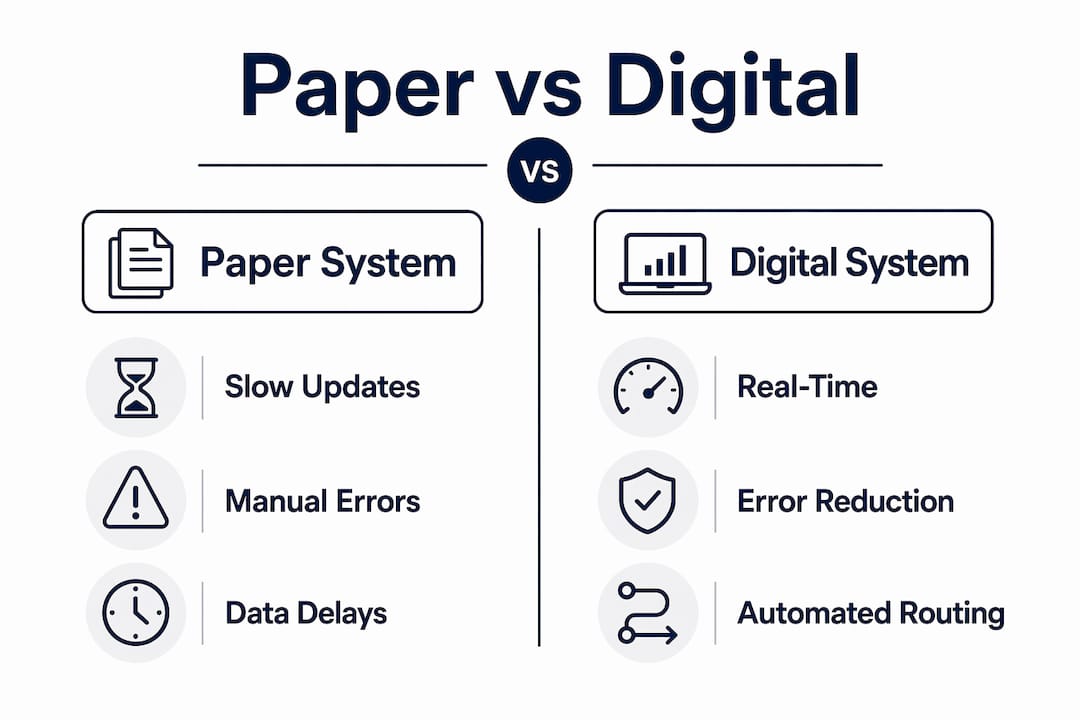
Paper workflows create information delays at every step. A form written on the roof may not reach the office until the end of the day. By then, a billing question or a change order dispute has already cost time. Illegible handwriting, missing signatures, and lost forms compound the problem. Poor work order management is one of the most common causes of payment delays in commercial roofing.
Digital systems replace those delays with automated routing and timestamped updates. The moment a crew leader closes a work order, the service manager sees it. The moment a client signs off digitally, the invoice triggers. No re-entry, no waiting, no guessing.
Real-time dashboards give service managers a live view of every active job. That visibility changes how you manage crews. Instead of reacting to problems at end of day, you catch them while the crew is still on site. That shift from reactive to proactive management is one of the most underrated advantages of digital work orders.
How Do Digital Work Orders Improve Field Leadership?
Digital tools change what a crew leader can do on site. Real-time data access and structured digital checklists replace guesswork with clear, documented decisions.
- Required fields enforce accountability. A digital work order that requires a photo before marking a task complete removes the ambiguity that paper creates. The crew either did the work or they did not. The record is clear.
- Timestamped documentation reduces disputes. Digital photo logs and timestamped checklists give crew leaders proof of condition at every stage of a job. That proof matters when a client questions the scope of work completed.
- Job status visibility improves communication. Crew leaders see what is scheduled, what is pending, and what has changed without calling the office. That reduces interruptions and keeps the job moving.
- Safety compliance becomes part of the workflow. Digital checklists can include OSHA-required safety checks as mandatory steps. Crews cannot skip them, and the record proves completion.
- Change orders get captured immediately. When scope changes on site, a crew leader documents it in the digital system before leaving the roof. That prevents the “we never agreed to that” disputes that paper processes invite.
Pro Tip: Build your safety checklist directly into the work order template, not as a separate form. When safety checks are part of the job close process, completion rates go up and documentation gaps disappear.
Real-time accountability also supports better production planning. When service managers see which crews close jobs fastest and which jobs generate the most change orders, they can schedule and staff future projects more accurately. That data does not exist in a paper system.
What Are the Common Challenges When Digitizing Roofing Work Orders?
Fear of disrupting operations stops many contractors from making the switch. That fear is understandable, but the risk of staying on paper grows every year as team size and job complexity increase.
- Data gaps from incomplete audits. Contractors who skip the audit step often miss high-frequency paper tasks that create the most friction. Audit every form your team touches before selecting a platform.
- All-at-once rollouts fail. Switching every crew to digital on the same day creates confusion and resistance. A phased rollout, starting with one crew or one job type, builds confidence before scaling.
- Platforms without offline capability create new problems. A digital system that fails on a rooftop with no signal is worse than paper. Offline sync capability is a baseline requirement, not a premium feature.
- Crew resistance fades when benefits are visible. Show crews the specific ways digital tools reduce their workload. Fewer callbacks, faster job close, no re-entering data at the end of the day. Concrete benefits convert skeptics faster than top-down mandates.
- Centralizing data reduces business risk. Centralizing before-and-after photos and site instructions cuts customer disputes by 30%. That single outcome is often enough to justify the transition cost for skeptical contractors.
Managing subcontractor scheduling conflicts also becomes easier when all job data lives in one place. Digital systems give every stakeholder access to the same information, which removes the coordination gaps that paper creates.
Key Takeaways
Digital work orders replace paper roofing workflows by eliminating manual handoffs, reducing billing errors by 90%, and giving service managers real-time visibility into every active job.
How Terial Supports the Switch to Digital Work Orders
Commercial roofing contractors who stay on disconnected tools pay a compounding cost in errors, delays, and lost revenue. Terial is built specifically to eliminate that fragmentation. The platform connects field work orders, crew scheduling, change order tracking, and invoicing into a single real-time system. Crews close jobs from the roof using Terial’s mobile field service app, and invoices generate automatically in the back office. No re-entry, no delays, no disputes from missing documentation. If you are ready to replace paper with a system built for commercial roofing, see how Terial works and what it can do for your operation.
FAQ
What Are Digital Work Orders in Roofing?
Digital work orders are electronic job forms that capture task details, photos, signatures, and timestamps in real time. They replace paper forms and connect field crews directly to office billing and scheduling systems.
How Long Does It Take to Switch From Paper to Digital?
Small roofing teams can complete the transition in as little as five days using a phased approach that starts with high-frequency tasks and short daily training sessions.
Do Digital Work Order Platforms Work Without Cell Service?
Platforms with offline capability capture and store data without a signal, then sync automatically when connectivity returns. This is a baseline requirement for roofing crews working in low-coverage areas.
How Much Can Digital Work Orders Reduce Billing Errors?
Switching from paper to digital reduces billing errors by 90% and cuts rework costs by up to 40%, according to roofing industry implementation data.
How Do Digital Work Orders Reduce Customer Disputes?
By centralizing before-and-after photos, timestamped checklists, and digital signatures, contractors using digital workflows see 30% fewer customer disputes compared to paper-based operations.
Recommended
- Terial | Workflow Automation for Commercial Roofers
- Automated Workflows and Roofing Profitability: 2026 Guide
- How Change Order Tracking Works in Roofing Projects
- Examples of Poor Work Order Management to Avoid


More articles



Book a personalized demo
Get a 30-minute demo tailored to how you run your commercial roofing business

“Making the switch to Terial has greatly exceeded my expectations and has already had a meaningful impact on our team’s productivity. Terial has significantly reduced the amount of time required to complete many of our day-to-day operational tasks, allowing our team to focus more on serving our customers.”

