
How Change Order Tracking Works in Roofing Projects
Discover how change order tracking works in roofing projects to protect your margins, speed up approvals, and reduce disputes effectively.

Most commercial roofing contractors understand that change orders happen. What catches teams off guard is how quickly informal changes become financial liabilities. Understanding how change order tracking works in roofing projects is not optional knowledge — it is the difference between collecting what you earned and arguing over what you agreed to. The industry term for this practice is change order management, and when it is done right, it transforms a reactive paper trail into a live financial control system that protects your margins, accelerates approvals, and eliminates the disputes that drain everyone’s time.
Key Takeaways
- Formal approval is non-negotiable: Starting work on unapproved changes exposes you to payment disputes and weakened legal standing.
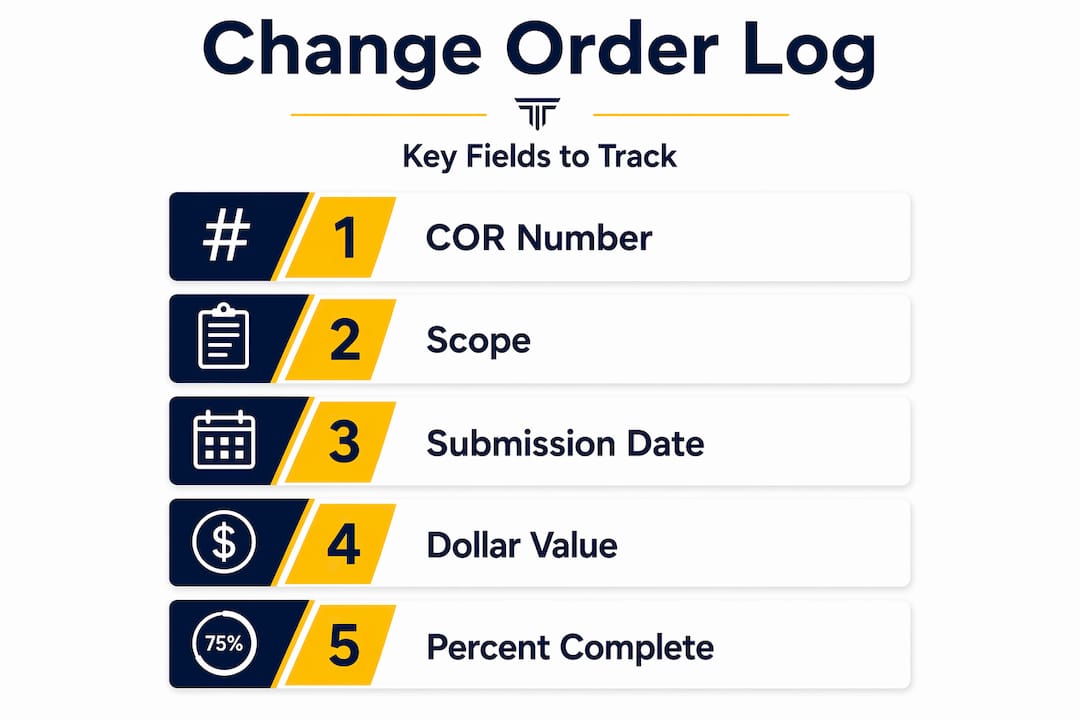
- Log the right fields: Track COR number, scope, submission date, aging, dollar value, GC PCO number, and percent complete for full financial visibility.
- Automate routing to cut approval time: Automated workflows with timed reminders can reduce approval cycles by over 60% compared to manual email chains.
- Connect tracking to the full project: Siloed finance-only logs create reconciliation problems; link change orders to schedules, inspections, and material orders.
- Document early and consistently: Early, thorough documentation is the single highest-leverage tactic for avoiding payment disputes and warranty exposure.
How Change Order Tracking Works in Roofing Projects
A change order is a formal, written amendment to the original contract that modifies the project’s scope, schedule, or price. Any project stakeholder can initiate one, but every change order requires formal approval to carry legal and financial weight. That last part is where roofing teams consistently get into trouble.
The most common triggers on commercial roofing jobs include unforeseen site conditions like rotted decking or failed insulation discovered mid-tear-off, design changes requested by the building owner after work begins, and material substitutions when specified products are unavailable. Each of these scenarios is predictable in the sense that something will change on a complex job. What is not predictable is the cost exposure when those changes are handled with a verbal “go ahead” and a promise to sort out the paperwork later.
The “we’ll paper it later” mentality is one of the most costly habits in this trade. Performing work outside of approved change orders increases your risk of payment disputes, warranty expansion, and schedule liability. When a dispute eventually lands in front of a general contractor or owner, the contractor with the thinnest paper trail almost always loses the argument, even when they were clearly right about the scope.
Documentation is not a back-office task. It is a frontline financial protection tool, and it starts the moment someone spots a condition that was not in the original bid.
The distinction matters because roofing contracts, like all construction contracts, are interpreted literally. If you did the work without an approved change order in hand, proving you deserve to be paid for it is significantly harder than if you simply had the signature before the crew touched the surface.
What a Solid Change Order Log Actually Contains
The log is the operational core of change order management. According to industry guidance for specialty contractors, a well-built change order log should capture these fields for every line item:
- COR number: Your internal tracking reference
- Scope description: A specific, section-tied description of the changed work
- Submission date and approval date: Both matter for aging and cash flow timing
- Aging: Days since submission — this surfaces stalled items before they become a crisis
- Dollar value: Both estimated and approved amounts
- GC PCO number: The general contractor’s reference number, critical for reconciliation
- Status: Pending, conditionally approved, approved, rejected, or void
- Percent complete: How much of the changed work has already been performed
That last field is one that most roofing teams skip, and skipping it is expensive. Tracking percent complete on pending change orders reveals how much work you are financing at your own risk. If a COR sits at 80% complete but is still pending approval, you are carrying real cost without contractual protection.
PCOs versus CORs: a Distinction Worth Getting Right
A Potential Change Order (PCO) is an internal flag. It says, “We think something changed, and we need to price it.” A Change Order Request (COR) is the formal submission to the GC or owner for approval. Treating PCOs as approved before they become CORs blurs your risk picture and makes financial forecasting unreliable. Treat every PCO as internal exposure only, never as revenue, until it clears the approval chain.
Pro Tip: Set a threshold in your log where any COR that has been aging for more than 10 business days automatically surfaces in your weekly project review. Stale CORs are almost always the ones that turn into disputes.
Static spreadsheets cannot do any of this reliably. Version confusion and slow approvals are predictable outcomes when your log lives in a file shared over email. A centralized, live log shared between your team and the GC eliminates the “which version are we working from?” conversation entirely.
Workflows and Automation That Speed Up Approvals
The change order tracking process does not have to be slow. Here is a seven-stage workflow that commercial roofing PMs can actually run in practice:
- Field initiation. A crew member or foreman identifies a condition or scope change and documents it with photos tied to the specific roof section.
- Costing. The PM or estimator prices the change using current labor and material rates.
- PM review. The project manager reviews the pricing and scope description before submission.
- Owner or GC routing. The COR is submitted formally through your agreed channel with all supporting documentation attached.
- Conditional approval. Many GCs will approve work to proceed while formal pricing is still being negotiated. Document this explicitly.
- Execution and tracking. Changed work begins, and the percent complete field in your log is updated as work progresses.
- Reconciliation. Upon approval, the COR is matched to the GC’s PCO number and linked to your invoice.
Automation makes each of these stages faster and more accountable. Automated workflows that include mandatory fields, timed reminders, and escalation paths when approvals stall can improve approval speed by over 60%. Administrative savings for typical commercial contractors can reach $222,000 annually when manual routing is replaced with automated processes.
The audit trail is where automation earns its place beyond just speed. Dispute rates drop by 40 to 55% when every communication and approval is permanently logged with timestamps and user data. A timestamped record of who approved what and when removes the ambiguity that fuels most contractor-GC disagreements.
Pro Tip: Use value-based routing paths in your workflow. Change orders under $5,000 should require one approval level. Those over $25,000 should trigger additional review steps, including the owner. Matching routing complexity to dollar risk cuts delays on small items while protecting you on large ones.
Connecting Change Orders to Your Full Project Workflow
Change order tracking becomes significantly more powerful when it is not isolated inside a finance spreadsheet. Integrating tracking with inspections, estimates, material ordering, site progress, and insurance claims creates a complete operational picture that siloed logs cannot provide.
Here is what integration looks like in practice for a commercial roofing team:
- Inspections: Roof section inspections that uncover new conditions trigger a PCO immediately, with photos attached at the point of discovery.
- Material ordering: Approved change orders update material requirements in real time, preventing shortfalls or over-ordering.
- Scheduling: Scope changes that affect crew time are reflected in the project schedule the moment a COR is approved.
- Insurance claims: Storm or damage-related changes require documentation that maps directly to original bid sections for adjuster review.
- Inspections
- Without Integration: Separate reports, manual transfer
- With Live Change Order Log: Discovery automatically triggers a PCO
- Material Ordering
- Without Integration: Reconciled after the fact
- With Live Change Order Log: Updated immediately upon approval
- Scheduling
- Without Integration: Project manager updates manually
- With Live Change Order Log: Scope changes automatically reflected in the schedule
- Insurance Claims
- Without Integration: Information pulled from memory or email
- With Live Change Order Log: Changes documented with section photos and supporting evidence
Standardizing roof section identifiers and tying photographic documentation to each change order is the practice that makes all of this work. Without it, a change order description often does not map cleanly to the bid or to what the approver actually saw on site, and that gap is where approval delays begin.
You should also look at how labor hour tracking ties into change order cost control. When you can see actual labor spent against a change order in real time, your costing gets sharper and your exposure tracking becomes accurate rather than estimated.
Common Pitfalls That Drain Revenue and Create Disputes
Most change order problems are not technical. They are behavioral. Here are the patterns that consistently hurt commercial roofing teams:
- Mixing PCOs and approved CORs in the same log column. This produces an inflated revenue picture and understates your actual risk exposure. Keep them clearly separated.
- Vague scope descriptions. “Additional decking replacement” is not a scope description. “Replacement of 240 square feet of deteriorated 5/8-inch OSB on grid sections D4 through D7, discovered during tear-off” is. Vague descriptions delay approvals because approvers cannot verify the work without specifics.
- Relying on email as your log. Email threads do not provide aging visibility, financial totals, or reconciliation against GC PCO numbers. They are a communication tool, not a tracking system.
- Starting changed work before documenting the trigger. Once the condition is altered by your crew, the photographic evidence of why the change was needed is gone. Document before you touch it.
Pro Tip: Make it a field policy that no crew lead calls in a change without a photo already uploaded to the project record. This takes 30 seconds and eliminates the most common cause of change order disputes: no evidence of the original condition.
Early, consistent documentation is the highest-leverage tactic for protecting both your payment rights and your warranty position. It is far easier to drop documentation that turned out to be unnecessary than to recreate documentation that never existed.
How Terial Helps You Get Change Orders Under Control
Fragmented tools are the root cause of most change order tracking failures. Your log is in a spreadsheet, your photos are in a phone camera roll, your approvals are in email, and your invoicing is in a separate system. None of them talk to each other, and you are paying for that disconnection in reconciliation time, disputes, and delayed payments.
Terial was built specifically for commercial roofing contractors to eliminate that fragmentation. The platform connects change order initiation in the field, through the field service application, directly to your live project log, approval routing, and invoicing, all in one system. Automated reminders keep approvals moving. Audit trails capture every action with timestamps. And when a change order clears approval, it flows directly into billing without anyone re-entering data.
If your current process has you reconciling three systems at month-end, explore Terial’s workflow automation and see what running one connected system actually looks like for a commercial roofing operation your size.
FAQ
What is a change order in a roofing project?
A change order is a formal written amendment to a roofing contract that modifies the original scope, schedule, or price. It must be formally approved by the relevant project parties before work begins to carry legal and financial protection.
What fields should a roofing change order log include?
A complete log should include the COR number, scope description, submission and approval dates, aging, dollar value, GC PCO number, current status, and percent complete. Tracking percent complete reveals how much changed work is already financed but not yet approved.
How does automating change order workflows reduce disputes?
Automated workflows with timestamp logging reduce dispute rates by 40 to 55% by creating permanent, verifiable records of every approval and communication. Eliminating manual handoffs removes the ambiguity that most contractor-GC disputes depend on.
What is the difference between a PCO and a COR?
A Potential Change Order (PCO) is an internal flag indicating a possible scope change that has not yet been formally submitted. A Change Order Request (COR) is the formal submission to the GC or owner. PCOs should be treated as unconfirmed exposure, not revenue, until they convert to approved CORs.
Why do static spreadsheets fail for change order tracking?
Static spreadsheets create version conflicts, offer no real-time visibility to the GC or owner, and cannot automate aging alerts or approval routing. A live cloud-based log shared across all project stakeholders eliminates these gaps and keeps everyone aligned on the same data.
Recommended





Book a personalized demo
Get a 30-minute demo tailored to how you run your commercial roofing business

“Making the switch to Terial has greatly exceeded my expectations and has already had a meaningful impact on our team’s productivity. Terial has significantly reduced the amount of time required to complete many of our day-to-day operational tasks, allowing our team to focus more on serving our customers.”

